
Project Overview
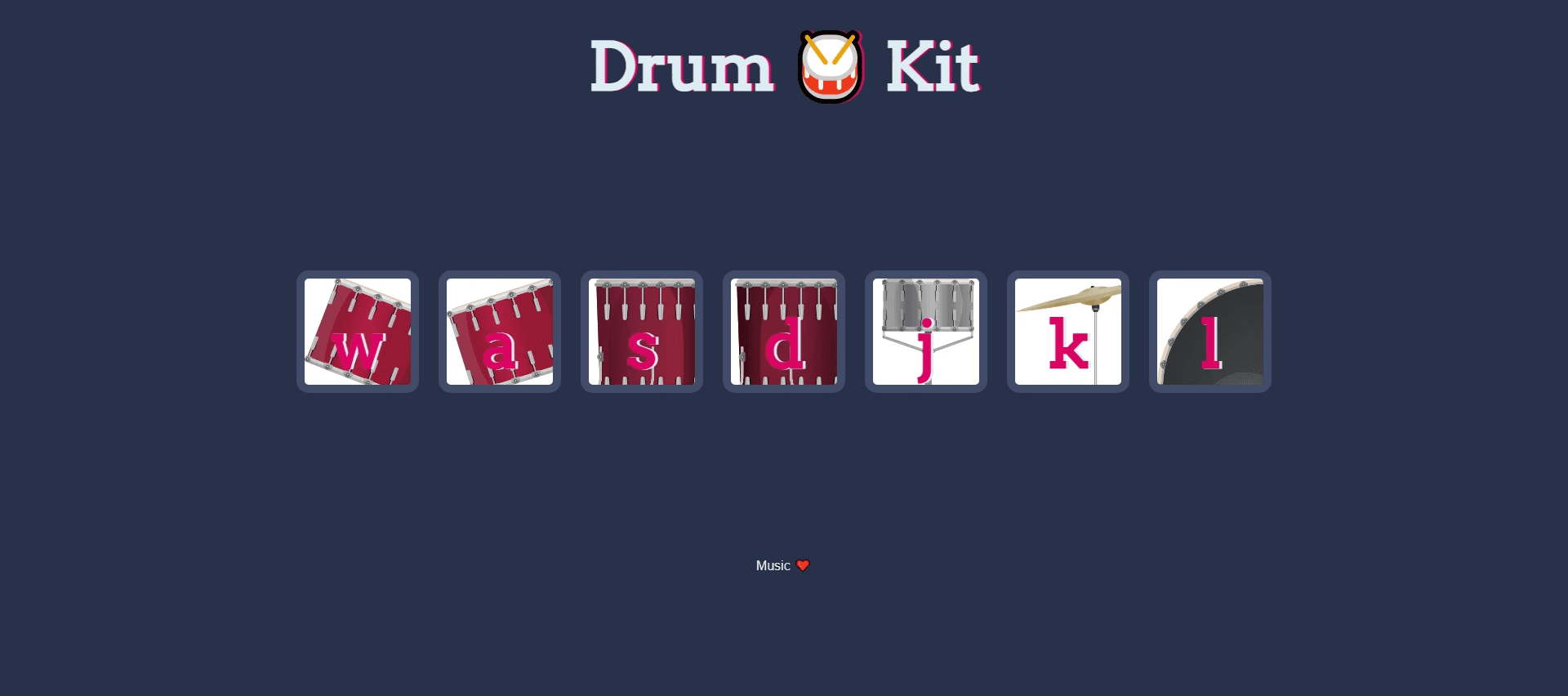
The Drum Kit app is a web-based application that simulates a virtual drum kit. It allows users to interact with various drum sounds by pressing on-screen buttons or using their keyboard. The goal was to create an intuitive and engaging drum-playing experience suitable for both beginners and experienced users.
Problem Statement
Many virtual drum kits are either too complex or lack user engagement. The objective was to design a simple, user-friendly drum kit interface with the following goals:
Easy-to-play sounds for both beginners and experienced users.
Clear and intuitive interface with a focus on playability.
Responsive design that works on various devices.
Visual feedback for each interaction.
User Research
Research showed that users enjoy music-based games and activities that offer instant feedback. Users preferred a straightforward layout with easily accessible controls. The target audience includes music enthusiasts, aspiring drummers, and casual users looking for a fun and quick musical experience.
Wireframes
The wireframe focuses on:
Main Screen: A grid layout with clearly labeled drum pads.
Responsive Design: The layout adjusts based on screen size, ensuring accessibility across mobile and desktop platforms.
Design Process
The design process focused on:
Simplicity: A minimal interface with drum pads, a play button, and volume control.
Color Scheme: Contrasting colors for each drum pad to differentiate between different sounds.
Accessibility: Labels for each drum pad and tooltips to guide users.
Feedback: Visual and sound feedback for each pad pressed, ensuring an interactive and engaging experience.
UI Design
Layout: A centered layout with clearly arranged drum pads in a grid.
Typography: Bold fonts for labels and action buttons to ensure clarity.
Buttons: Each drum pad is clickable, with an animation indicating that it’s active.
Features
Play Sounds: Each drum pad plays a unique sound when clicked or pressed via keyboard keys.
Volume Control: Users can adjust the volume to suit their needs.
Responsive: The app adapts to various screen sizes, offering a smooth experience across devices.
Testing & Feedback
The app was tested with a group of users to evaluate ease of use and responsiveness. Feedback included:
Positive: Users enjoyed the simplicity and responsiveness, especially the ability to use keyboard keys.
Improvement Suggestions: Some users wanted additional features, like the ability to change the sound set, which was added in the final version.
Result
The final design provided a simple, intuitive, and engaging drum-playing experience. The feedback was overwhelmingly positive, with users appreciating the straightforward design and responsive controls. The app's clean interface and instant feedback kept users engaged and returning for more.