
Project Overview
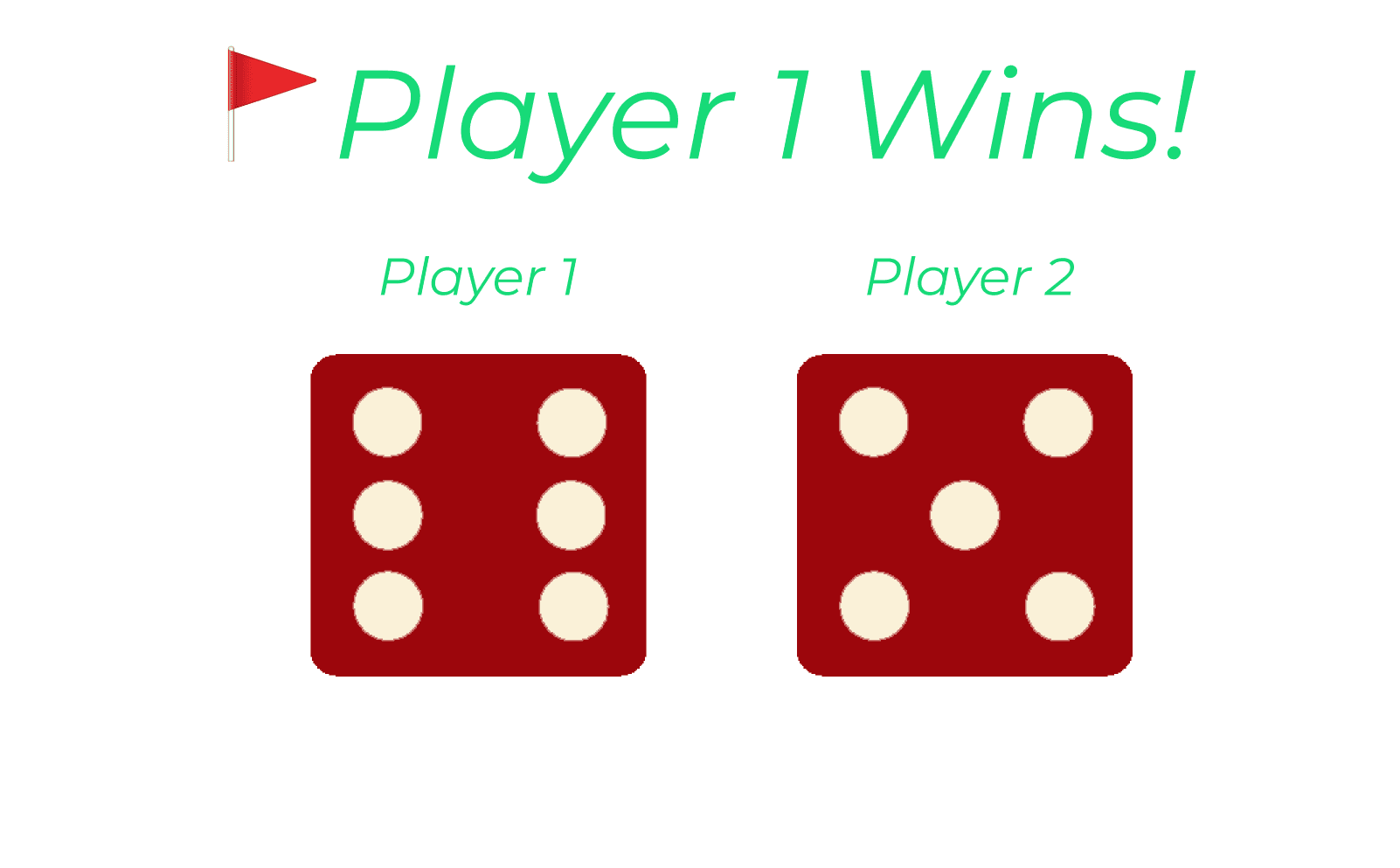
The Dice Game is a simple web-based game where users roll two dice and get a sum of the numbers. The goal is to score the highest possible value by rolling the dice. This game was designed to be intuitive and easy to play for a wide audience. The goal was to create a clean and engaging user experience.
Problem Statement
Many dice games are overly complicated or have confusing user interfaces. The objective was to create a simple dice game that could be played quickly and intuitively, suitable for all age groups, with the following goals:
Easy-to-understand gameplay.
Simple interface with clear instructions.
Responsive design to work on various screen sizes.
A clear visual of the dice roll and the result.
User Research
Through research, we determined that users enjoy quick, casual games with minimal setup. A simple design was preferred over a complex interface. The target audience is anyone looking for a quick and fun game to play in short bursts.
Wireframes
The wireframe focuses on:
Main Screen: A large button to roll the dice, a space to display the rolled dice, and a score area.
Responsive Design: The layout adjusts based on screen size, ensuring that the game is playable on both desktop and mobile devices.
Design Process
The design process focused on:
Simplicity: The game interface is minimal with a clear call to action (the “Roll” button).
Color Scheme: We chose contrasting colors to make the dice and buttons stand out.
Accessibility: Text labels for actions like "Roll" were made readable and easy to understand.
Feedback: After each roll, the dice images change, and the total is updated with an animation to keep the user engaged.
UI Design
Layout: The game is centered with dice in the middle and the score displayed below.
Typography: Bold fonts to emphasize the score and result.
Refresh: Refreshing page "Rolls" the dice.
Features
Roll Dice: Refresh to "Roll" simulate rolling two dice. The sum is displayed after each roll.
Score Tracker: The sum of the dice is shown, keeping track of the score.
Responsive: Adapts to different screen sizes, ensuring the game looks good on both mobile and desktop.
Testing & Feedback
The game was tested with a group of users to ensure usability and responsiveness. Feedback included:
Positive: Users liked the simplicity and ease of use.
Improvement Suggestions: Some wanted a "reset" button to start over, which was implemented.
Result
The final design provided a simple, enjoyable user experience with easy-to-understand mechanics. The feedback was positive, and users appreciated the simple, engaging interaction.